


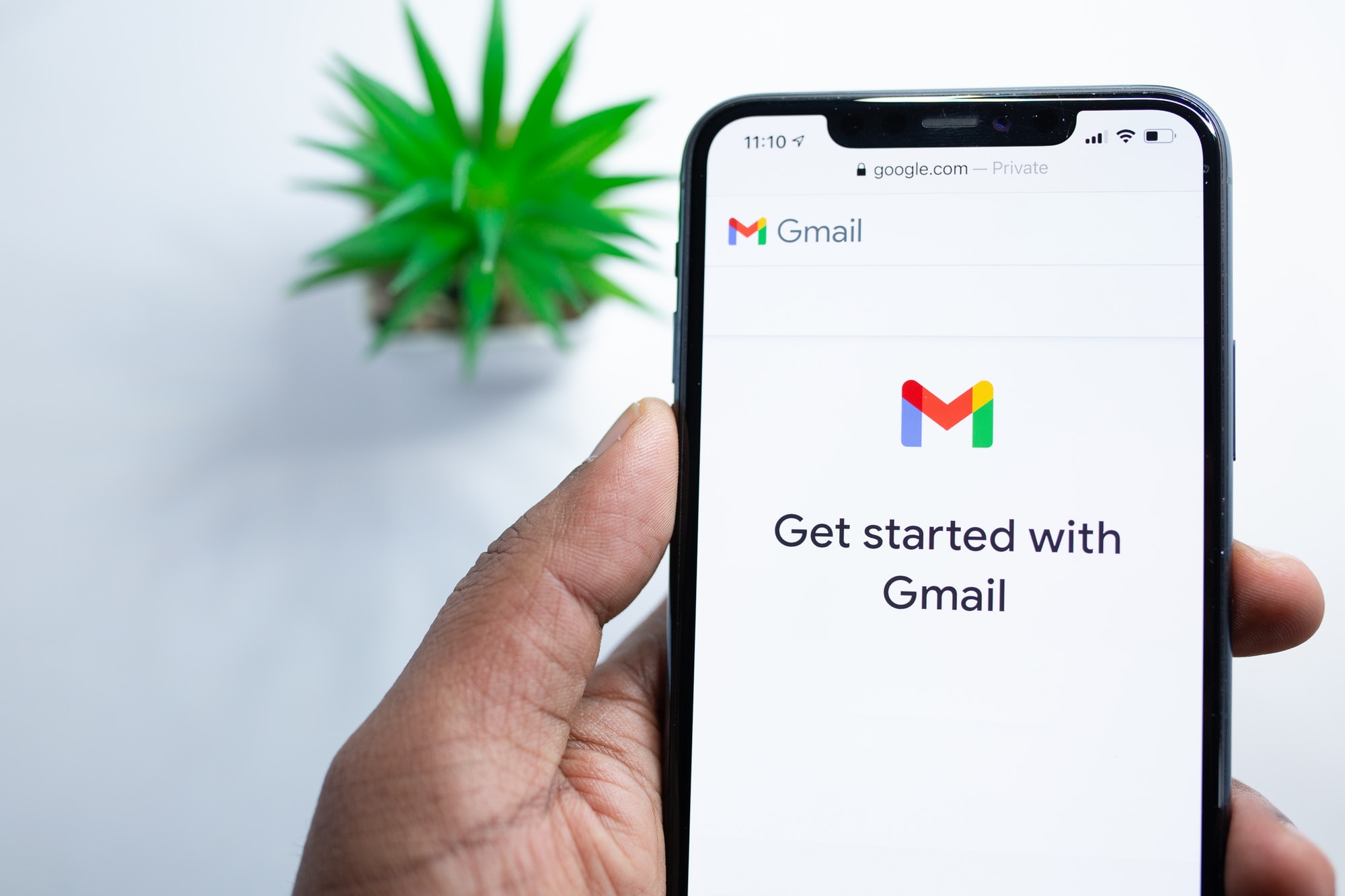
To understand what is user onboarding, you just need to download a new mobile application, using it for the first time and without any instructions. Ask yourself how comfortable and informed you are to use the application. Are you clueless about what's going on or what to interact with it?
With so much noise in the app market, guidance is more important than ever to help retain user and avoid “rage quits” from being clueless and frustrated about your product. It is like inviting guests to your beautiful mansion and giving the wrong direction along a dodgy road to get there - most are likely to turn back.

What is user onboarding?
It's a type of designed series of introduction guides that improve the user to have a better understanding of the product or a service's experience.
These interactions and instructions can be as simple as a greeting, such as “good day, how are you today?” and as complex as guiding users to complete a particular task.
The term “Onboarding” originated from the human resource term that refers to the mechanism through which new employees acquire the necessary skills and behaviour to become effective employee of the organisation or company.
Why do we use it?
This is important because if there is no instruction or context on the service or product, nobody would understand how it works, especially for new users and with the difficulty to understand, which majority of the new users would give up and end up abandoning it.
Onboarding also increases prolonged retention. Adding new and exciting features to your product and service is great, but if users don’t know about them then they’re of no use to anyone.
Where else, an effective onboarding process would definitely help users feel more valued, better understand the product and services.
Types of User Onboarding Model
There are many differences in approaches for user onboarding within an application. Many of the applications just want to meet the needs of the new users and retain them for the future.
Mapping out the journey of new users will also help to identify which pattern is best for your app.
According to the material.io, there are 3 types of onboarding model to use from:
- Self Select (allow users to customise their experiences)
- Quickstart (allow the user to start the application directly)
- Top user benefits (present a carousel of animated briefs highlighting the benefits of the applications)
Self Select
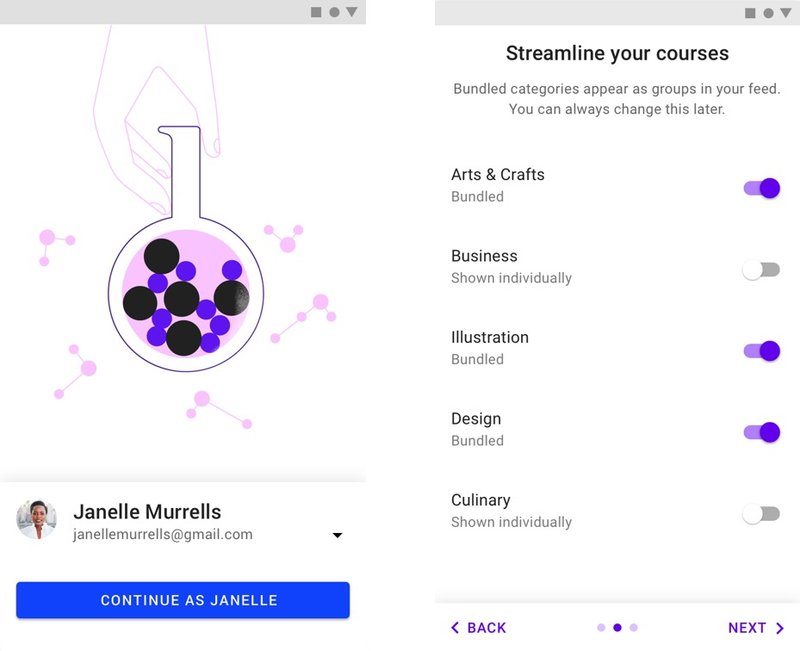
The self-select model allows users to modify their first-hand experience by having a short series of options.
Hence this experience will provide implicit learning allowing the users to know complete interest in the screen to come.
The choices you give users affect the outcome of the user onboarding.
Choices should be:
- Be meaningful and noticeable
- Provide new information
- Be short and sweet
One good example would be Grammarly, which uses the Self-select model to introduce its keyboard options on its mobile application.

Quickstart
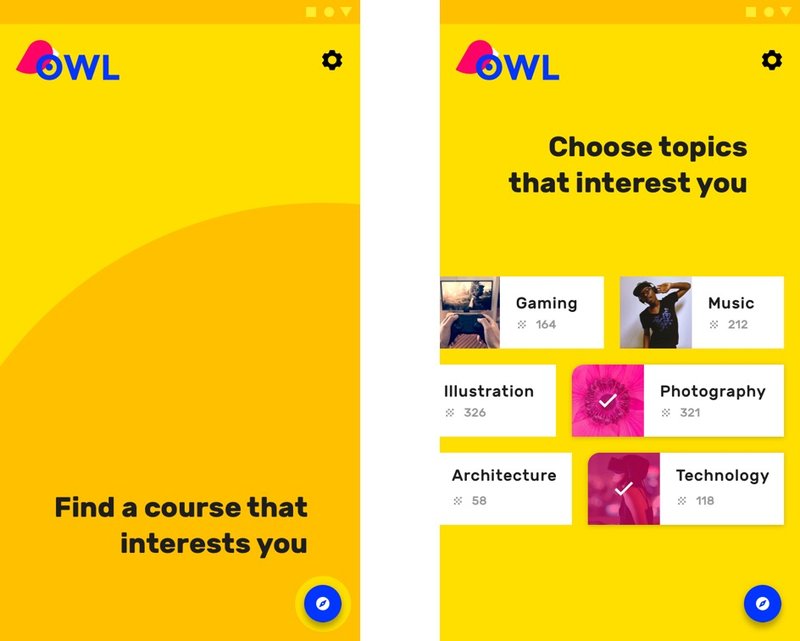
In the Quickstart model, users will be directed to the user interface of the application without any user onboarding being shown.
The key factor of the Quickstart model:
- It should enable users to quickly get started with the main and core functionality of the application
- Mainly prioritises the first key action
- Can be provided optionally to learn more or ask for help
Flipboard uses the Quickstart model for their signup page.

Top User Benefits

The Top User Benefits onboarding model will have a brief autoplay carousel or animated display that highlights the main benefits of using an application.
Choosing the Right Benefits
The Top User Benefits model should illustrate up to 3 main benefits from using the application. These benefits should be located in the application as relevant and individual during a moment that matters, preferably then give guidance to describe features.
The Top User Benefits model should demonstrate up to three primary benefits from using the application. It should position the application as consistent and personal during the moment that matters, rather than give instructions or describe features.
When identifying which benefits to offer, consider:
- Problems that the applications solve
- The main benefits or purpose the application is created for
- The application’s “toothbrush features” (meaning, a feature you would use once or twice a day)
Reflectly uses the Top User Benefit model in its user onboarding.

Conclusion
Overall, having user onboarding in your app is a good way to introduce your users to a new product, services or feature.
Thus, with good app + good user onboarding = good retention.
Personalise your User Onboarding with Fonseka Innovations
If you need someone to onboard your application but do not have time or the know-how to get it up and running. We at Fonseka Innovations can do it for you. We will help you build and maintain your application.
Contact us now to innovate with us! We are here to support you!