


ChatGPT 4 provides UI/UX designers with multiple benefits as it allows designers to be more efficient and creative within their design process. GPT 4 can suggest ideas, create visuals and even code certain elements within a page. It can bridge the gap between design and development and allow designers to instantly create prototypes. Additionally, since ChatGPT 4 has natural language processing features, it can easily understand complex design concepts and convert them to code. Below outlines a range of methods in which ChatGPT4 can be used as a designer.
Find inspirational products
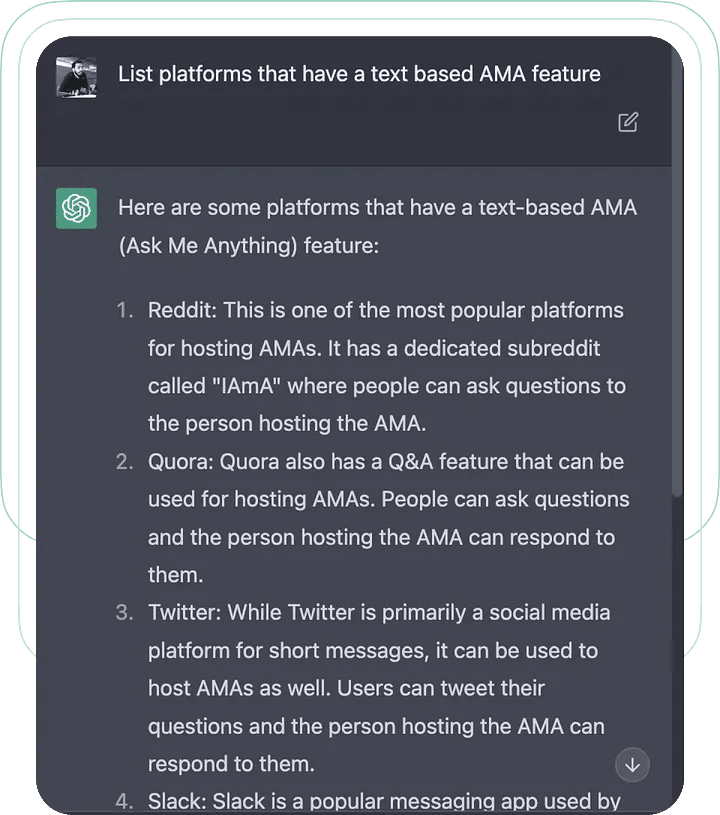
When given the task of designing a digital product, ChatGPT 4 can be used to look for similar products and features. ChatGPT 4 has the ability to provide a list of similar products with a list of relevant options. The example below shows ChatGPT 4 providing the user with suitable information regarding inspirational products.
User Research
ChatGPT 4 has the ability to conduct user research as it is excellent at gathering data and creating comprehensive reports for UX designers. Teams of UI/UX designers are able to use ChatGPT to observe how people respond and react to a range of scenarios. This helps UX designers understand their users’ requirements and desires better. Therefore, working with ChatGPT results in an efficient way of receiving feedback allowing UX designers to understand their demographic audiences.
ChatGPT 4 assists to create prototypes
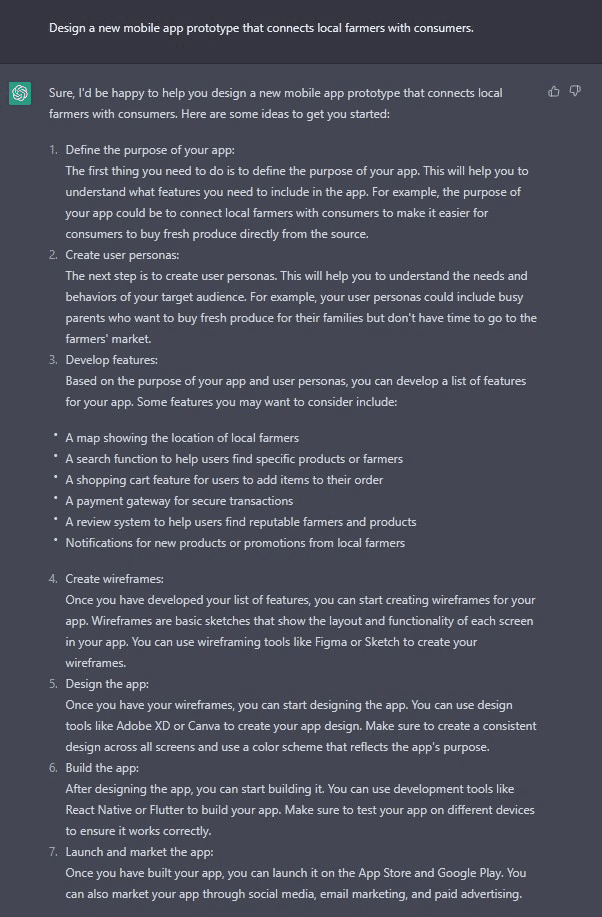
As ChatGPT doesn’t have the ability to create prototypes, the program can provide UI/UX designers with information which will assist in creating prototype designs within the UX design process. Through the assistance of ChatGPT, designers are able to rapidly generate prototype ideas and test them with all users. Below shows a conversation with ChatGPT when it comes to creating a prototype for a certain demographic.
Generates ideas to create wireframes
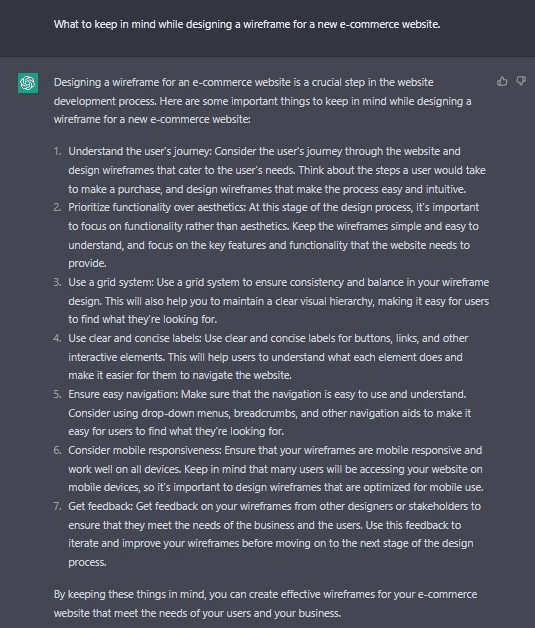
ChatGPT 4 has the ability to provide designers with ideas to create suitable wireframes. Once a designer provides details about their wireframes such as size, layout and components, ChatGPT then has the ability to generate wireframe information allowing designers to visualise and iterate their designs. Below shows a conversation where ChatGPT provides the user with information regarding a suitable wireframe approach to their desire design requirements.
Creates user flows
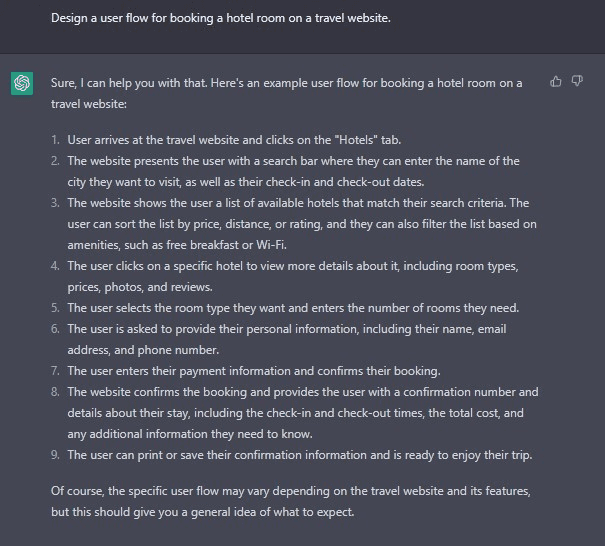
ChatGPT has the ability to provide designers with user flows. This method is efficient and saves time since it outputs relevant information. Some examples of prompts that can be used are the following:
- Design a user flow for booking a holiday trip
- Create a user flow to order a taxi through a mobile app
- Create a user flow to setting up a new device
Below shows an example of user flows done through ChatGPT.
Assists in Usability Testing
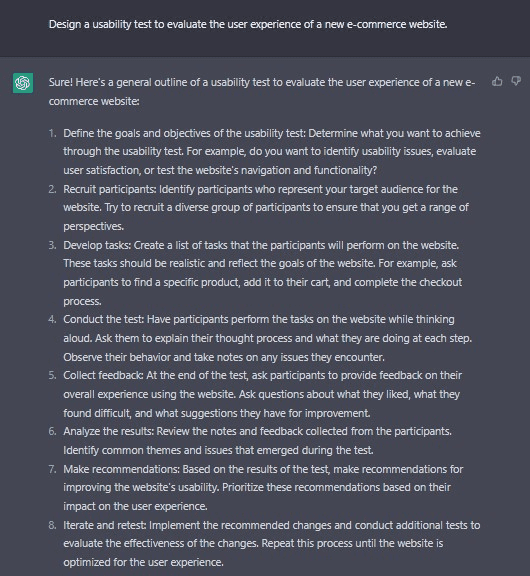
ChatGPT allows designers to gain an understanding of how users interact with a digital product and identify any areas of improvements. Utilising ChatGPT in usability testing processes allows designers to rapidly test the effectiveness of an interface before it gets deployed while still gathering valuable insights. Below shows some of the example prompts.
- Provide a usability test to evaluate the user experience of a new public transport application
- State the tasks and requirements to test the usability of a new web application
Upskill as a designer
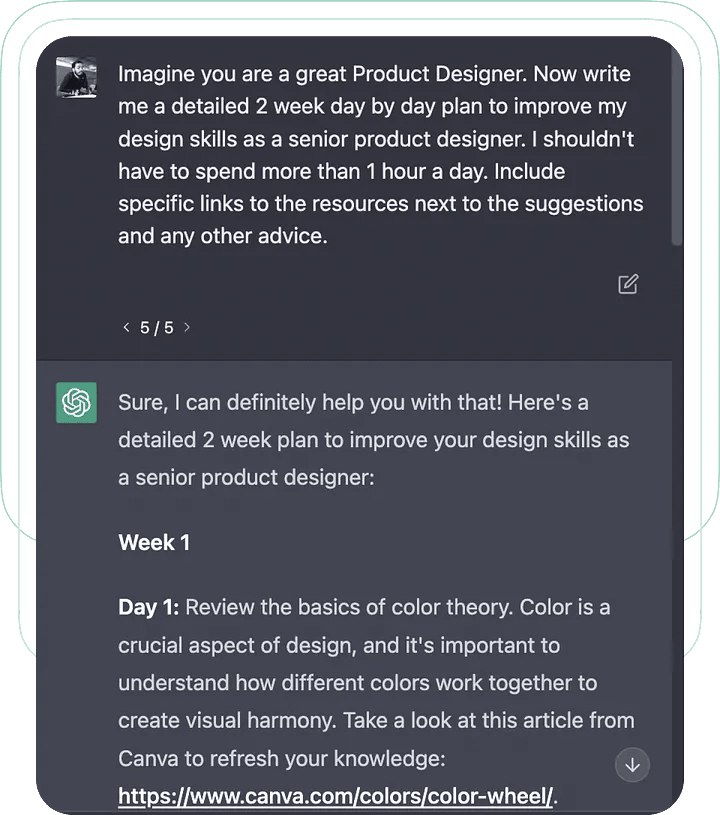
Finally, designers have the ability to ask ChatGPT questions regarding self improvement and can request a plan to improve as a designer. This can help you, the designer, become more efficient in the industry and work towards a goal.
Takeaways
As stated above, it is evident that ChatGPT 4 can be used within the UX design process to save time and money. This will ensure customers receive a positive experience using a digital product such as a mobile application.